

I manage employer branding assets for a mid sized company, and the hardest part is keeping people visuals consistent across time. New hires join, teams reorg, and we refresh the careers page, yet the photos rarely match. Different lighting, different backgrounds, different quality, and the set looks stitched together. PhotoGPT became the practical fix for that because it stays centered on realistic photo output and it gives me one online flow that covers generate, edit, enhance.
(Create All Type of Photo in PhotoGPT)
What “realistic” needs to mean for a company image set
In employer branding, credibility matters. People notice skin texture, lighting direction, and whether a background looks natural. If an image feels artificial, it can create doubt fast. I aim for a studio leaning look that still feels human.
The baseline I use before anything goes public
A publishable team image should have:
- Natural light behavior on face and hair
- Clean background with believable separation
- Consistent framing across a set
- Enough clarity for crops across web, social, and slides
PhotoGPT consistently targets these elements, which is why it works well for company wide visuals.
PhotoGPT generation for consistent team portraits
Some teams have no recent headshots at all. Others have mixed quality photos from phones and old events. Generation helps when we need a consistent look quickly, especially for new landing pages, leadership spotlights, and hiring campaigns.
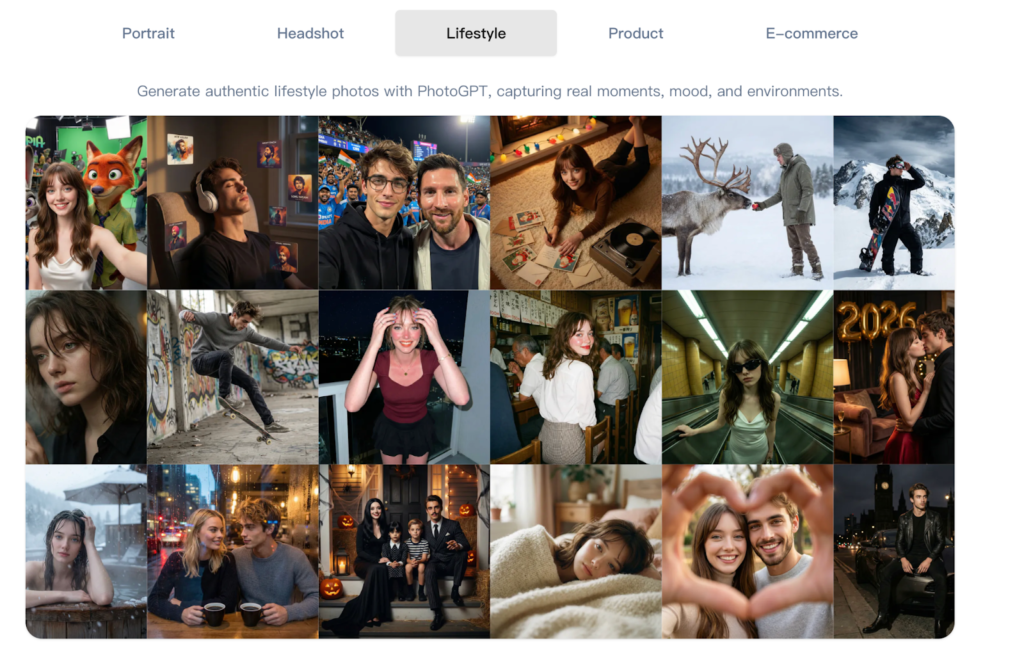
(Any Photo, Any style, All in PhotoGPT)
How I prompt for a “company studio” look
I write prompts like a simple photo direction sheet:
- Neutral studio background, soft gradient or clean wall
- Soft diffused lighting, balanced exposure, no harsh shadows
- Mid shot or head and shoulders framing, centered composition
- Natural skin texture, realistic lens feel, shallow depth of field
This structure keeps outputs aligned. It also reduces weird styling that would not match a corporate brand.
Where generation helps most in my workflow
I use generation for:
- New hire spotlights when we need assets the same week
- Leadership profile visuals for press kits and partner pages
- Hiring campaign graphics where realism drives trust
- Internal directory images that need a consistent look
The key benefit is coherence. A single style applied across many people makes the brand feel more mature and organized.
PhotoGPT editing for controlled updates across a large set
Editing becomes important once a set exists. I rarely want dramatic changes. I need small adjustments that keep identity stable and keep the image believable.
Edits that actually show up in employer branding
The edits I rely on:
- Background cleanup to remove distractions without looking cut out
- Style alignment so older photos match newer ones
- Minor grooming changes that still look natural, such as a hairstyle preview
- Wardrobe tone adjustments for consistency across a series
PhotoGPT tends to keep lighting and edge blending more coherent, which is what makes the result feel “camera real”.
PhotoGPT enhancement for multi use clarity
Even when a photo looks fine on a profile page, it can fail on a keynote slide or a printed handout. Enhancement helps standardize clarity across different sources.
Where enhancement saves the most time
I use enhancement for:
- Improving sharpness for crop heavy layouts
- Cleaning up compressed images used in older assets
- Balancing light and texture so a set feels uniform
The goal is a natural improvement. Over processing is easy to spot, so I favor results that keep skin and fabric believable.
RoomDesign when the workplace environment becomes part of the brand story
Employer branding also includes spaces. Office pages, recruiting posts, event announcements, and culture decks often need interior visuals that communicate vibe and quality. When the story shifts from people to environments, RoomDesign becomes the better tool. RoomDesign focuses on room concepts and interior direction, which helps explore and present space visuals quickly.
(RoomDesign Homepage)
Where RoomDesign supports employer content
RoomDesign is useful for:
- Office style concept visuals for culture and recruiting pages
- Event space mood visuals for announcements and recap posts
- Workspace refresh ideas for internal comms and public storytelling
- Background visuals for hero sections where the office tone matters
It helps convey a consistent environment narrative without needing a full photo production every time.
Conclusion
PhotoGPT (https://photogpt.io/) delivers a realistic photo centered workflow for generating, editing, and enhancing images online, making it easier to get studio style results for portraits, headshots, lifestyle scenes, and product visuals. RoomDesign (https://roomdesign.io/) supports fast interior concept exploration and room focused visuals, helping creators and teams turn space ideas into clear, shareable designs.
