

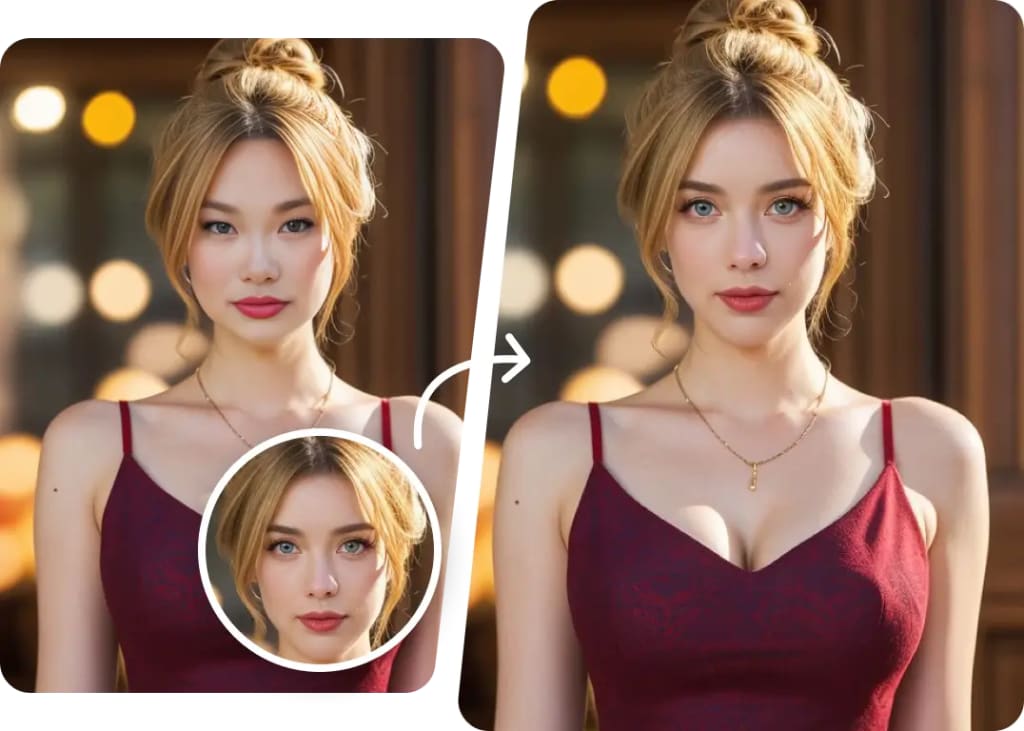
AI face swap technology now makes it simple to add your face to any photo quickly and realistically. Users no longer need complicated tools or skills to create impressive edits. With just a clear photo of your face and a user-friendly app or website, you can swap faces in seconds, producing natural-looking results.
The latest AI tools in 2025 offer fast, high-quality swaps that work on photos, videos, and even memes. Many platforms provide step-by-step guides and tips to help you achieve the most believable face swaps. This guide will walk through how AI face swap works, how to pick the right tools, and how to get the best results with ease.
Key Takeways
- AI face swap tools are easy to use and deliver realistic edits quickly.
- Choosing the right platform improves the quality and experience of swapping faces.
- Following simple steps and tips helps create natural-looking and creative face swaps.
What Is AI Face Swap?
AI face swap uses smart computer programs to replace one person’s face with another in photos. It relies on advanced technology to match skin tone, lighting, and facial expressions for a natural look. This process has evolved quickly and is now part of everyday photo editing tools.
Definition and Core Technology
AI face swap is a technique that uses artificial intelligence to detect and replace faces in images or videos. It typically involves deep learning models trained on thousands of faces to understand facial features and expressions.
These models work by identifying important points on a face, like the eyes, nose, and mouth, and then mapping these onto the target face. The AI also adjusts lighting, color, and shadows to blend the new face smoothly into the photo.
This technology runs mostly on neural networks, which improve the swap quality by learning patterns and details from vast amounts of data.
Brief History of AI Face Swapping
Face swapping began as simple photo editing tricks years ago, using manual cut-and-paste methods. Early digital swaps were often unrealistic and easily recognizable.
The change came with AI and deep learning around the late 2010s. Programs like DeepFake used neural networks to create much more accurate and lifelike swaps in photos and videos.
Since then, AI face swap has expanded from the tech world to mobile apps, browser tools, and even social media filters. It offers fast, automatic swaps that anyone can use without expert skills.
How AI Is Transforming Photo Editing
AI has made face swapping accessible, fast, and highly realistic. It removes the need for manual editing, letting users upload photos and get swaps in seconds.
Today’s AI tools automatically match lighting, skin tone, and angle, which makes swapped faces look natural. Many apps also add effects or beauty filters right after swapping to enhance the photo further.
This technology is changing creative projects, social media, and entertainment by giving people new ways to experiment with images without complicated software.
Key Features AI Face Swap Tools Offer:
- Automatic face detection and replacement
- Skin tone and lighting matching
- Support for video as well as photo swaps
- Simple user interfaces for quick edits
- Free and paid options across platforms
How AI Face Swap Works
AI face swap combines several advanced technologies to create realistic images. It first finds faces in photos, then uses deep learning to understand facial details, and finally blends the new face smoothly onto the target image.
Deep Learning and Neural Networks
AI face swap relies heavily on deep learning. Neural networks analyze thousands of facial images to learn the unique features of faces, like eyes, nose, and mouth shapes.
These networks break down faces into detailed data points. They map facial structures so the AI can recreate and transfer a face accurately.
This training lets AI recognize subtle expressions and lighting differences. As a result, the swapped face looks natural and matches the original photo’s style.
Face Detection Algorithms
Face detection algorithms locate faces in photos before swapping. These algorithms scan images to find key points like eyes, cheeks, and jawlines.
Once detected, the face is isolated from the background and other elements. This step ensures the AI swaps the correct section without errors.
Advanced models can detect multiple faces at different angles and in various lighting conditions. This makes the swap more precise and versatile.
Image Blending Techniques
After swapping faces, image blending techniques help merge the face with the photo smoothly. Blending fixes edges, adjusts colors, and matches lighting.
Techniques such as feathering and transparency help hide harsh border lines. Color correction adjusts skin tones between the face and target image to avoid looking fake.
These blending methods ensure the face appears as part of the original photo, not pasted onto it. This final step is essential for realistic results.
Choosing the Best AI Face Swap Tools in 2025
Selecting the right AI face swap tool depends on the user’s needs, whether for quick edits, creative control, or professional use. Options vary between mobile apps, browser-based tools, and desktop software, each with different strengths in ease of use, features, and output quality.
Top-Rated Face Swap Apps
These apps are popular for their ease and speed. Apps like Deepswap and Facemagic AI offer realistic face swaps with simple steps. They often include extra features like filters and meme creation.
Most top apps support both photos and videos. They have friendly interfaces designed for users who want fast results without technical skills. Pricing can range from free with limits to paid plans offering higher quality and more swaps.
Users should check app reviews for update frequency and safety. Some also provide built-in privacy controls to protect user data, which is important given face data sensitivity.
Web-Based Face Swap Solutions
Online tools like FaceFusion and InsMind work directly in browsers without installing software. They are convenient for quick swaps on any device with internet access.
These platforms focus on speed and simplicity. Many offer one-click swaps or easy drag-and-drop features. Some limit the file size or feature set for free users, requiring subscriptions for premium quality or batch processing.
Web solutions are great for casual users or those who want to avoid app downloads. However, internet speed and privacy policies are factors to consider. They usually store data briefly, but user caution is advised.
Desktop Software for Professionals
Professional-grade software like Remaker is aimed at users who need detailed control and higher-quality edits. These programs support advanced face alignment, color matching, and fine-tuned editing.
They often require more powerful computers and technical experience. Desktop software suits creators working on video content or marketing, where precision matters.
Pricing is typically higher, either as a one-time payment or subscription. Many desktop tools also provide integration with other editing software, making them ideal for professional workflows.
Step-by-Step Guide: Adding Your Face to Any Photo
The process of swapping faces with AI involves a few precise steps. It requires good source photos, careful alignment of faces, fine-tuning for realism, and then saving the final image in the right format.
Preparing High-Quality Source Images
Choosing clear and high-resolution photos is crucial. The face to be swapped and the target photo should both have good lighting and minimal shadows. Front-facing images work best to reduce distortions.
Avoid blurry or pixelated photos. The background does not need to be perfect but faces should be well-lit and fully visible. Consistent lighting in both images helps the AI create a seamless blend.
If possible, use photos with similar skin tones and angles. This enhances the natural look of the face swap. Crop the images to focus on just the faces to speed up processing.
Uploading and Aligning Faces
After preparing the images, upload the source face and the target photo to the AI face swap tool. The tool uses an algorithm to detect key facial features like eyes, nose, and mouth.
Careful alignment is necessary to match these features accurately between the two images. Some tools allow manual adjustment to correct slight differences in size or angle.
Proper alignment ensures that the facial expressions and features look natural in the final result. It also helps the AI adjust skin texture and lighting smoothly across the swap area.
Adjusting Results for Natural Appearance
Once the face swap is done, review the result closely. Many AI tools offer sliders or controls to fine-tune skin tone, lighting, and blending edges.
Adjust brightness and contrast to match the surrounding face and background areas. Small changes to color balance can remove mismatches in skin tone.
Some tools provide options to soften edges or add shadows for a more realistic effect. These tweaks improve the final image’s credibility and keep the face swap from appearing digitally pasted.
Exporting and Saving Your Face Swap
After adjustments, the swapped image can be downloaded. Most tools save images in PNG or JPG formats, which maintain quality without large file sizes.
Choose a proper file name and location for easy access later. Saving multiple versions during editing can help compare changes.
Some AI platforms also allow direct sharing to social media or messaging apps. Always verify the image quality before sharing to ensure the swap looks clean and natural.
Pro Tips for More Realistic AI Face Swaps
Achieving realistic AI face swaps requires careful attention to details like lighting, face size, and color tones. Each step helps blend the swapped face naturally into the photo. Small adjustments can greatly improve how authentic the final image looks.
Lighting and Angle Matching
Matching the lighting between the source face and the target photo is crucial. If the light hits the face from the left in one image but the right in the other, the swap will look fake. Users should study shadows and highlights on both faces before starting.
The angle of the face also matters. AI tools perform best when both faces have similar head tilts and orientations. If angles differ, slight manual rotation or cropping can help align the faces. This reduces awkward edges and mismatched perspectives.
Resizing and Positioning Faces
Accurate resizing is key to avoid an unnatural look. The swapped face must fit the original head size closely. If it’s too big or too small, the image appears distorted.
Users should place the face on the target head with precise positioning. Centering on key facial features like eyes and mouth maintains natural proportions. Many AI tools allow fine adjustments using sliders or drag-and-drop controls to improve alignment.
Fine-Tuning Color Correction
Color matching ensures the swapped face does not stand out from the rest of the image. Skin tone differences are a common giveaway of a swap. Adjusting brightness, contrast, and saturation levels helps blend colors smoothly.
Some tools provide automatic color correction, but manual tweaks often yield better results. It’s important to balance highlights and shadows so the face has the same lighting quality as the background. Using tools like hue shift and selective color edits can refine the final look.
Ethical Considerations and Privacy When Using AI Face Swap
Using AI to swap faces comes with important responsibilities. Users must handle ownership rights carefully, avoid harmful uses of images, and follow laws that protect personal identity.
Respecting Image Ownership
Anyone using AI face swap technology should always get permission before using someone else’s image. The creator or owner of a photo holds the rights to it, and unauthorized use can lead to legal trouble.
Images found online are not always free to use. Many are protected by copyright or subject to privacy rules. Using these images without consent can harm relationships and reputations.
Platforms with face swap tools often include features like watermarks to show when an image is altered. This helps keep the ownership clear and prevents misuse.
Avoiding Misuse of Personal Images
Using AI face swap to create misleading or harmful content is unethical. This includes faking statements, placing someone’s face in harmful situations, or spreading false information.
Respect for privacy means not sharing altered images without the person’s clear consent. Doing so can cause emotional harm or damage personal and professional reputation.
Users should avoid commercial use of swapped images without permission. Exploiting someone’s likeness to promote products or ideas without their approval can be illegal and unethical.
Legal Guidelines for Face Swapping
Laws on AI face swap vary, but most focus on protecting privacy and identity rights. Users should understand local regulations before sharing face-swapped photos or videos.
Common legal rules include:
- Getting written consent for using a person’s face
- Avoiding commercial uses unless legally allowed
- Not creating or sharing content that defames or harms someone
Failure to follow these rules can result in lawsuits or penalties. It is important to use AI face swap tools responsibly and with respect for others’ rights.
Future Trends in AI Face Swapping Technology
AI face swapping is moving toward faster processing and improved detail in images and videos. New tools are adding features that boost realism and make it easier to use in everyday apps. At the same time, these technologies are blending more with augmented reality and social media platforms.
Emerging Features and Innovations
AI face swap tools now focus on real-time editing. This means users can swap faces instantly in videos, not just photos. Developers improve algorithms to better match skin tone, lighting, and facial expressions for more natural results.
New safety features are also becoming common, like tools that detect deepfakes to reduce misuse. Additionally, some AI apps include automated background matching and dynamic facial movement tracking, which help keep the swapped face connected to the original scene realistically.
Some apps offer one-click solutions for quick edits. Others give users control over details such as blending edges and adding makeup or lighting effects. These options make AI face swapping useful for both casual users and professional creators.
Integration with AR and Social Media
AI face swap is increasingly integrated with augmented reality (AR). This allows users to try on virtual looks or swap faces during live video calls and streams. AR adds a layer of interaction, making face swaps feel more natural and immersive.
Social media platforms support AI face swapping in posts and stories. They encourage creativity by combining face swaps with filters, animations, and stickers. This integration helps content creators engage followers with fresh, personalized visuals.
Platforms also aim to improve safety by adding authenticity tags or detection warnings on AI-edited content. This helps viewers know when a face swap is used, maintaining trust in shared media.
Troubleshooting Common AI Face Swap Issues
Many users face problems like blurry images, low-resolution photos, or the app not detecting faces correctly. These problems often come from the quality of the input image or settings in the software. Fixing them usually involves adjusting photo size, lighting, or image clarity.
Blurry or Unnatural Results
Blurry or unnatural face swaps happen when the source and target images do not match well. Poor lighting or wrong face alignment can cause this. Users should pick photos with similar lighting and angles for better results.
Improving face swaps may also require choosing high-quality images. Blurry faces or backgrounds reduce the realism of the final image. Some tools offer options to fine-tune the result, like sharpening or blending edges. Using these controls can make the swap look smoother.
Dealing with Low-Resolution Photos
Low-resolution photos often cause pixelated or unclear face swaps. If the input image is too small or compressed, the AI may struggle to create a clean result. Resizing the image to at least 500×500 pixels can improve quality.
It is also important to avoid using photos with heavy filters or compression artifacts. These reduce detail and confuse the AI. When possible, use original or clear images without edits. Tools sometimes offer automatic upscaling options that can help but are not perfect.
Resolving Failed Face Detection
Face detection can fail if the face is covered, turned away, or poorly lit. This stops the swap from working. To fix this, users should upload photos where the face is fully visible and facing forward.
Good contrast between the face and background helps the AI spot facial features quickly. If detection still fails, refreshing the app or restarting the device can clear temporary glitches. Making sure the app is updated to the latest version also reduces errors.
