

Password-related attacks continue to be one of the leading causes of enterprise security breaches. Phishing, credential stuffing, and password reuse expose organizations to significant risks despite widespread adoption of multi-factor authentication (MFA). As businesses move toward passwordless authentication, FIDO2 security keys have emerged as one of the most effective solutions for protecting employee accounts.
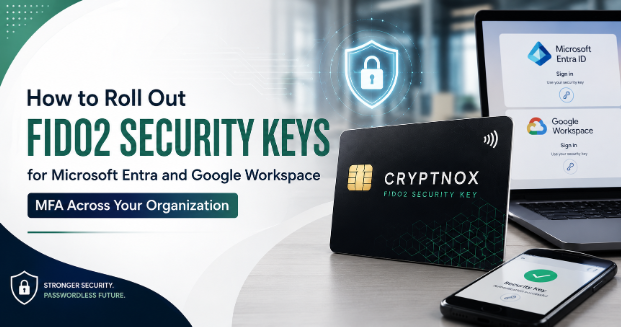
Organizations using Microsoft Entra ID and Google Workspace can strengthen their security posture by deploying a FIDO2 card for enterprise rollout across their workforce. A hardware-based authentication solution such as the Cryptnox FIDO2 security key offers phishing-resistant authentication while simplifying the login experience for employees.
Why Organizations Are Adopting FIDO2 Security Keys
Traditional MFA methods, including SMS codes and authenticator apps, have improved account security but still remain vulnerable to phishing, SIM-swapping, and social engineering attacks.
A hardware-based security key card eliminates these risks by storing cryptographic credentials securely inside the device. During authentication, the private key never leaves the card, making credential theft significantly more difficult.
Organizations benefit from:
- Phishing-resistant authentication
- Passwordless login experiences
- Strong cryptographic protection
- Reduced helpdesk password reset requests
- Improved regulatory compliance
These advantages make FIDO2 security keys an ideal authentication solution for modern enterprises.
Step 1: Assess Your Current Authentication Environment
Before deploying hardware security keys, organizations should evaluate their existing authentication infrastructure.
Review the following:
- Current MFA methods
- Identity providers in use
- Device compatibility
- Employee access requirements
- Remote workforce needs
- Compliance obligations
Both Microsoft Entra ID and Google Workspace provide native support for FIDO2 authentication, making integration relatively straightforward.
A properly planned FIDO2 card for enterprise rollout minimizes deployment challenges while ensuring a consistent user experience.
Step 2: Select Enterprise-Grade Security Keys
Choosing the right authentication device is critical to deployment success. Enterprise organizations should prioritize solutions that support multiple operating systems, browsers, and authentication protocols.
An enterprise-ready Cryptnox FIDO2 security key offers:
- FIDO2 compliance
- NFC compatibility
- USB connectivity
- Tamper-resistant hardware
- Passwordless authentication
- Enterprise-grade cryptographic protection
A durable security key card also provides employees with a convenient form factor that integrates easily into everyday workflows.
Step 3: Configure Microsoft Entra ID
Microsoft Entra ID supports passwordless authentication through FIDO2 security keys. Administrators can enable this authentication method directly within the Entra Admin Center.
Deployment typically includes:
- Enabling FIDO2 authentication
- Defining user groups
- Creating authentication policies
- Registering employee security keys
- Testing pilot deployments
Organizations should begin with a small user group before expanding deployment company-wide.
Using a FIDO2 card for enterprise rollout during the pilot phase helps identify configuration issues while minimizing business disruption.
Step 4: Enable FIDO2 Authentication in Google Workspace
Google Workspace also supports hardware security keys as a phishing-resistant MFA solution.
Administrators can:
- Enable security key enforcement
- Configure two-step verification policies
- Require FIDO2 authentication for privileged users
- Register employee security keys
- Monitor adoption and compliance
Deploying a Cryptnox FIDO2 security key across Google Workspace creates a consistent authentication experience regardless of operating system or device.
Step 5: Train Employees Before Full Deployment
Technology alone does not guarantee security. Successful enterprise rollouts require user education.
Training should cover:
- How to register the security key
- Daily authentication procedures
- Safe handling of the hardware device
- Lost or replacement key procedures
- Passwordless login best practices
Employees quickly adapt to using a security key card because authentication becomes faster than entering passwords and verification codes.
Step 6: Create Backup and Recovery Policies
Every authentication strategy should include contingency planning.
Organizations should establish procedures for:
- Lost security keys
- Stolen devices
- Employee onboarding
- Employee offboarding
- Emergency administrator access
Many enterprises issue backup hardware keys for privileged users to ensure uninterrupted access during emergencies.
A structured FIDO2 card for enterprise rollout includes documented recovery workflows that reduce downtime while maintaining security.
Best Practices for Enterprise Deployment
To maximize deployment success, organizations should follow several best practices:
- Start with IT and security teams
- Expand gradually through pilot groups
- Communicate rollout timelines clearly
- Provide user training resources
- Monitor authentication success rates
- Review security policies regularly
An enterprise deployment is most successful when technical implementation is combined with strong change management practices.
Why Hardware-Based Authentication Is the Future
Password-based authentication continues to create security challenges despite increasingly complex password policies.
Hardware security keys solve many of these problems by replacing passwords with cryptographic authentication that cannot be intercepted or reused.
A Cryptnox FIDO2 security key enables organizations to:
- Eliminate password-related phishing attacks
- Reduce credential theft
- Improve employee productivity
- Simplify authentication workflows
- Strengthen Zero Trust security strategies
As enterprises accelerate digital transformation initiatives, passwordless authentication is rapidly becoming a foundational component of modern cybersecurity.
Conclusion
Rolling out FIDO2 security keys across Microsoft Entra ID and Google Workspace is one of the most effective ways to improve enterprise security while simplifying user authentication. By replacing passwords with hardware-backed cryptographic credentials, organizations significantly reduce the risk of phishing, credential theft, and unauthorized access.
A carefully planned FIDO2 card for enterprise rollout provides a scalable, secure, and user-friendly authentication strategy. Combined with a reliable Cryptnox FIDO2 security key and a durable security key card, businesses can confidently transition toward passwordless authentication while building a stronger foundation for long-term cybersecurity.
